Try It Right Now
Here, you can walk through the actual process of embedding the KoeLoop widget that lets you receive feedback from end users. Experience it firsthand to get a clear image of how it can fit into your own product.
Experience how to integrate KoeLoop's widget for collecting feedback in just a minute.
Published: 2025-12-06
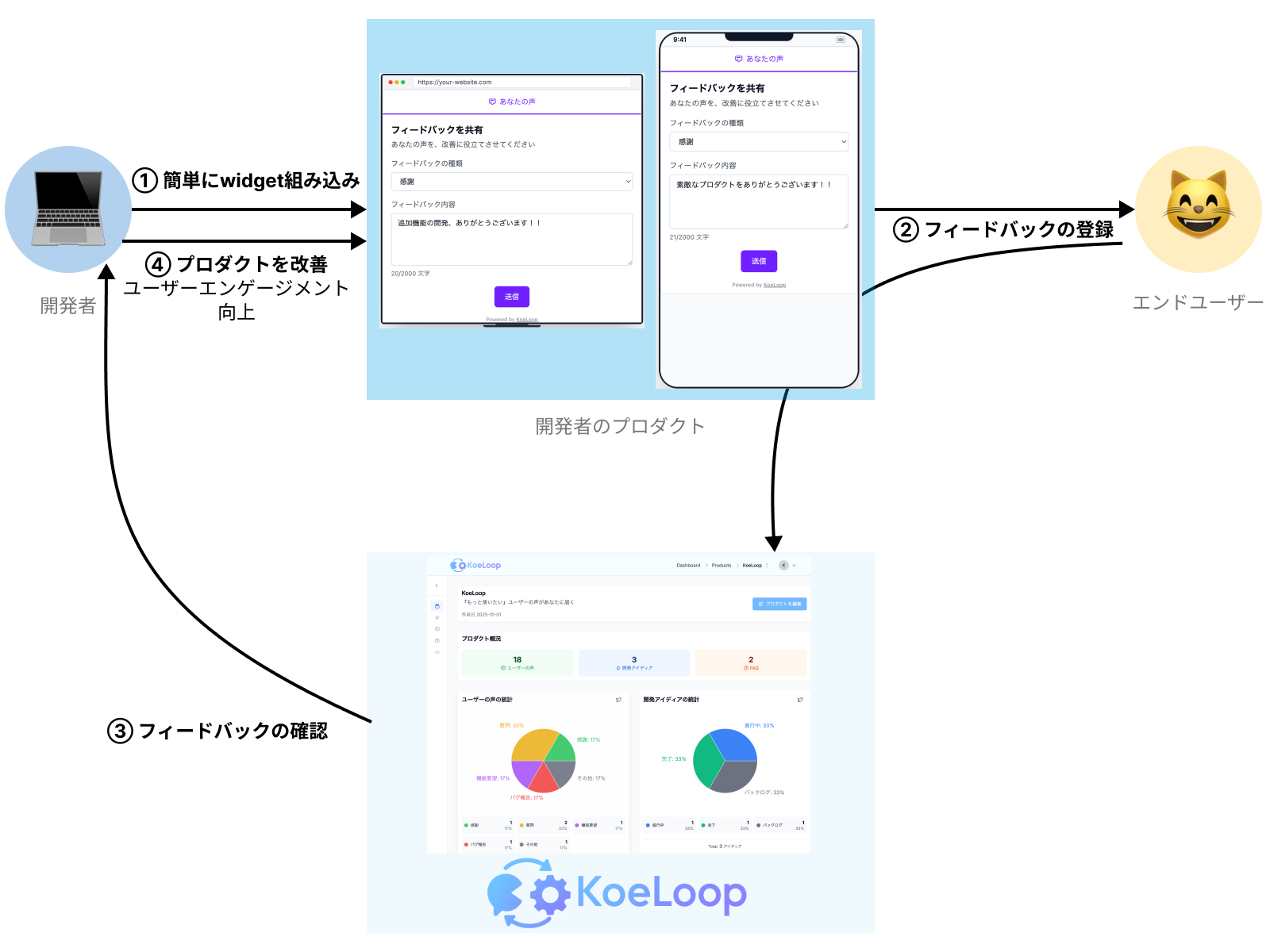
Here, you can walk through the actual process of embedding the KoeLoop widget that lets you receive feedback from end users. Experience it firsthand to get a clear image of how it can fit into your own product.
import { WebView } from 'react-native-webview';

<WebView
  source={{ uri: "/embed/demo?theme=light&locale=en&primaryColor=%25237020FF&showVoting=false&showFeedback=true&showFAQ=false&showEmailField=false" }}
  style={{ flex: 1 }}
/>Install the react-native-webview package and use the code above to display the widget.
Loading...
Join developers who are building better products with user feedback.